
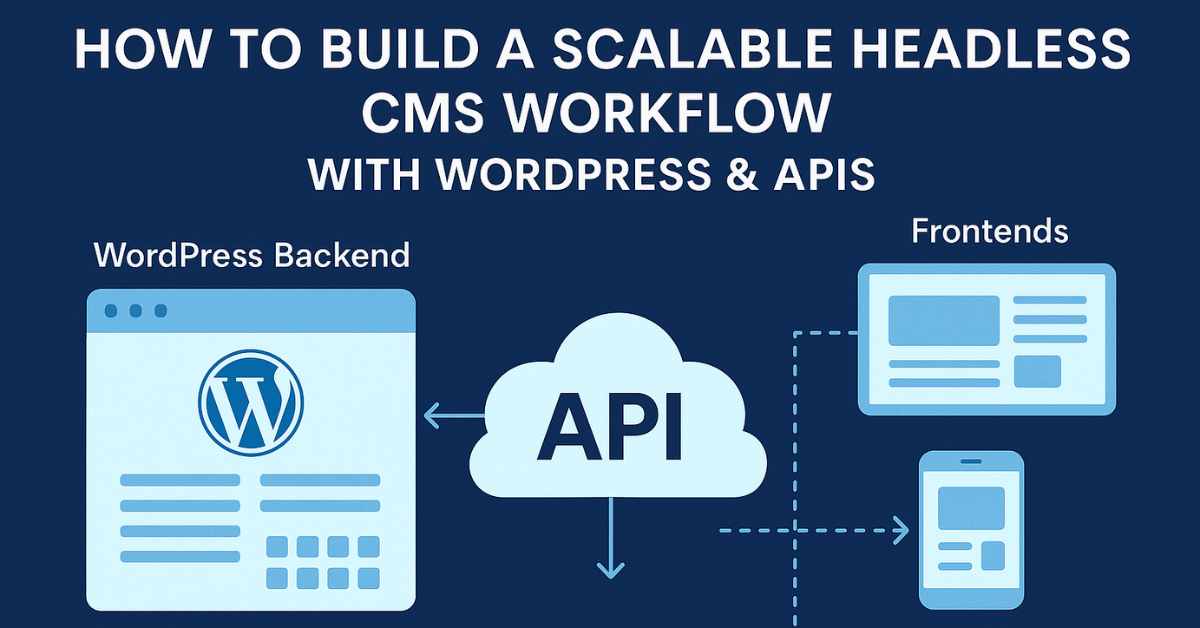
Learn how to build a scalable headless CMS workflow using WordPress and APIs — step-by-step for agencies and developers.
In today’s multi-channel digital ecosystem, building websites that serve web, mobile, apps, IoT or other platforms demands a different architecture. Enter the scalable headless CMS workflow—a model where you use WordPress primarily as a content-repository and API server, and decouple the front end (presentation) so you can scale independently.
For agencies like Epixs Media, this approach unlocks greater flexibility: freelancers or teams can work on frontend frameworks (React, Vue, Next.js) while editor teams continue using WordPress’s familiar admin. This article guides you through building that scalable workflow: why, what, and how—with actionable steps.
Quick Facts
-
WordPress supports its own REST API since core version 4.7.
-
A headless CMS enables content to be served to multiple front-ends, not just websites.
-
Using WordPress headless can improve scalability, performance, and multi-channel reuse
-
But it also introduces complexity: separate deployments, security, API-design, and front-end workflow.
What is a Headless CMS Workflow with WordPress & APIs
Defining the Architecture
A “headless CMS” means the CMS (WordPress) handles content creation, management, storage while not being responsible for the presentation layer (theme, template, UI). Instead, content is exposed via APIs and consumed by one or more front-ends.
In a typical “scalable headless CMS workflow” you have:
-
WordPress backend (content modelling, editors, media, users)
-
API layer (REST API or GraphQL)
-
Front-end(s) (web site, mobile app, kiosk etc)
-
Deployment & hosting architecture decoupled (backend and front end can scale separately)
Why Use WordPress as the Backend?
WordPress is a mature CMS with familiar interface for editors, rich plugin ecosystem, custom post types, taxonomy systems—all of which you can leverage even when decoupled.
So you get:
-
Editor familiarity → less training overhead
-
Content modelling flexibility (custom post types, custom fields)
-
Multi-channel reuse: content created once, consumed many times
Scalability Considerations
“Scalable” in this context means: ability to handle increased traffic, more front-ends, more content types, possibly multiple platforms (web, mobile), and simpler upgrades/maintenance. Key benefits:
-
You can optimise frontend for performance separately (e.g., static generation, CDN)
-
Backend resources can be scaled or cached without dragging UI layer along
-
Future-proof: you can swap frontend tech without changing content infrastructure
Key Components of the Workflow
Content Modelling in WordPress
-
Define your custom post types (CPTs) and custom fields (e.g., using plugins like Advanced Custom Fields).
-
Ensure that your CPTs/custom fields are exposed via API (set
show_in_rest = true, or enable GraphQL). -
Plan your taxonomy, metadata, media usage, author roles, workflows (draft, review, publish) from the start.
API Layer Setup
-
WordPress has built-in REST API endpoints like
https://your-site.com/wp-json/wp/v2/postsetc. -
For heavier use-cases, consider using WPGraphQL plugin for GraphQL querying — offers more flexibility in front-end data fetching.
-
Secure your API endpoints: Consider authentication, rate-limiting, caching layers.
Front-End Architecture
-
Choose your frontend framework: React, Vue, Next.js, Nuxt etc.
-
Fetch content from WordPress via REST/GraphQL API.
-
Use static-site generation (SSG) or server-side rendering (SSR) to improve performance and SEO.
-
Host frontend separately (e.g., Netlify, Vercel, AWS Amplify) so that it scales independently of WP backend.
Hosting, Deployment & Scaling Strategy
-
Host your WordPress backend on a managed WordPress host or cloud setup. Choose one with scaling, caching, security in mind.
-
Use caching/CDN for frontend assets and API responses.
-
Set up CI/CD pipelines: Developers push frontend code; editors push content; API stays consistent.
-
Monitor performance, set up load testing.
Step-by-Step: Building a Scalable Headless CMS Workflow
Here’s a practical roadmap you can follow.
Step 1 – Setup WordPress Backend
- Install WordPress (choose managed host if possible).
- Install key plugins:
- Custom Post Type UI (for custom post types)
- Advanced Custom Fields (for custom fields)
- WPGraphQL (if using GraphQL) or ensure REST API is enabled.
- Configure your CPT: Set
show_in_rest=true, REST base etc. (this ensures content is accessible via API) - Setup user roles, workflows (editor, author, publisher).
- Remove or disable unnecessary frontend theme aspects (you may install a minimal “blank” theme since the front end is decoupled).
Step 2 – Design API & Content Structure
- Define your content schema: for example “BlogPost”, “Product”, “CaseStudy”.
- Decide which fields each type needs (title, excerpt, body, image, author, date, custom fields).
- Decide endpoints you’ll need on frontend (e.g.,
GET /posts,GET /products,GET /case-studies?featured=true). - Setup GraphQL queries if using WPGraphQL (more efficient for frontend).
Step 3 – Build the Frontend
- Create frontend project (e.g., Next.js).
- Integrate with API: use fetch/Apollo/GraphQL client.
- Design pages/templates for each content type.
- Implement routing, dynamic pages, preview (if needed).
- Optimize: image-lazy loading, code-splitting, static generation or SSR.
Step 4 – Host, Deploy & Connect Workflow
- Deploy WordPress backend to production.
- Deploy frontend to CDN/hosting environment.
- Setup environment variables (API endpoints, keys).
- Setup caching: e.g., Redis, varnish, API response caching.
- Setup CI/CD: on content change (in WP) you may trigger frontend rebuild (webhooks).
- Monitor metrics: API response times, frontend load times, traffic scaling.
Step 5 – Maintain & Scale Over Time
- Add new content types via WordPress when needed (with minimal frontend disruption).
- Frontend improvements (UI/UX) without touching backend.
- Scale hosting for backend independently (if API load increases) and frontend (static assets/CDN).
- Backup & security: headless setups still require strong security (WP plugins, API endpoints).
- Evaluate plugin compatibility: Some WP-plugins might not work well in headless mode.
Best Practices & Tips for Indian Agencies
- Choose a hosting provider that offers India region CDN & caching (reduces latency).
- For localised content (India, Andhra Pradesh): ensure your API and frontend handle multi-language, regional formats (dates, currency).
- For clients in Tirupati or region, propose this headless approach as a premium service: e.g., content reuse across web + mobile + kiosk.
- Train your team: WordPress backend editors stay same; frontend devs focus on modern JS frameworks.
- Prepare a template Project Starter: backend WP + frontend Next.js + deployment pipeline → faster delivery.
- Optimize cost: static frontend + API backend often yields lower hosting cost for high traffic.
- Monitor SEO: frontends must ensure meta tags, schema markup, server-side rendering or prerendering for search engines.
- Maintain API documentation: as your system grows add custom endpoints, versioning, documentation (Swagger etc) for backend teams.
Challenges and How to Address Them
-
Increased complexity: Decoupled architecture demands more coordination between teams. Mitigation: clear workflow, documentation, version control.
-
Plugin/theme compatibility: Some WP plugins relying on front-end theme might not work. Mitigation: test, choose plugins designed for headless use.
-
SEO and prerendering: Headless frontends must manage SEO meta, open-graph tags, schema. Mitigation: use SSR or prerender, check Google indexing.
-
Authentication/API security: If you have protected content (members-only), you need to handle tokens/authorization. Mitigation: JWT Auth, OAuth, rate-limiting.
-
Training and change management: Editors used to WP themes may miss preview. Mitigation: educate editors, provide preview capabilities.
Building a scalable headless CMS workflow with WordPress and APIs gives your agency the agility to serve content across multiple channels, scale independently, maintain performance, and future-proof your architecture. By decoupling the backend (WordPress) and frontend (modern JS stack), you gain flexibility, reusability and responsiveness.
For Epixs Media and agencies in Tirupati and beyond, embracing this workflow means offering a premium, modern solution to clients: faster delivery, multi-platform reach, lower maintenance over time. Begin by modelling your content, setting up WordPress as your content hub, exposing APIs, and deploying a frontend that can scale with you.
If you use the step-by-step roadmap, integrate best practices, and mitigate the listed challenges, you’ll have a robust architecture ready for today’s complex content demands.
FAQs
Q1: When should I choose a headless CMS workflow over a traditional WordPress theme setup?
A: If you need one backend to serve multiple front-ends (web, mobile, apps), require high performance, or want frontend teams to choose modern frameworks — headless is ideal. For simple brochure sites, traditional may suffice.
Q2: WordPress REST API vs WPGraphQL — which should I use?
A: REST API is built-in and fine for many cases. But if your frontend needs flexible, nested queries or you want to reduce over-fetching, WPGraphQL is better.
Q3: Will going headless increase cost and time?
A: Possibly for initial setup—there’s more infrastructure and teams must coordinate. But over time, benefits in performance, scalability, and multi-channel reuse often outweigh cost.
Q4: Does SEO suffer with a headless WordPress setup?
A: Only if you ignore SEO fundamentals (metadata, SSR/SSG, structured data). If you implement front-end rendering properly, you can achieve equal or better SEO.
Q5: Can I still use WordPress plugins with a headless setup?
A: Yes for backend-facing plugins (custom post types, fields, editorial workflows). But plugins that integrate with themes/templates may not apply. Always test compatibility.
Useful Links:
-
Cloudways – What is Headless WordPress CMS & How to Set it Up? Cloudways
-
Pressable – How to Use WordPress as a Headless CMS Pressable
Author Pack
Author: Rajesh Kumar – Senior Web Consultant, Epixs Media Blog
Bio: Rajesh has over 10 years of experience in WordPress architecture, headless CMS implementations and digital solutions. He guides agencies on scalable web workflows.
Publish Date: 2025-11-04
Last Updated: 2025-11-04